Image Map
Showing posts with label Distance Learning. Show all posts

Tuesday, July 29, 2025

3 More Tips for Using Google Slides in Elementary Music

I fell in love with Google Slides during distance learning and I now use them in almost every single lesson I teach as an elementary general music teacher. I shared some of my favorite tips for using Slides effectively back in 2020, which I still use all the time today, and in this post I want to share 3 more tips that I also use all the time! These will make your lessons run so much more smoothly, I promise!

1. Change Playback Speed 

If you don't already know how to embed videos in your Slides, check out my previous post on Google Slides for that- this is probably my most-used feature because I can choose specific clips from videos so I can set it to start at the exact part I want to show students, and it automatically removes ads. But did you also know you can change the playback speed of embedded YouTube videos right within the slide? Push play, click on the gear icon, select playback speed, and adjust it however you want! I will start slower when I'm having students do a particularly challenging play-along video (or if we start and I realize they aren't quite ready for that speed yet), or speed it up to add challenge if I have extra time. 

2. Mute a Video's Audio

This is another cool feature of embedded videos you may not have realized exists: you can mute the video so it plays without sound. It's funny how often this feature comes in handy because my job is literally about the sound, but I use it a lot when I want students to add their own music, sound effects, etc to a video, or if I want them to be able to watch a demonstration of a game or playing technique on loop while they practice independently. After you embed the video, click on the embedded video to select it, then open the format options (if it doesn't open automatically). Click "video playback" and you should see an option to "mute audio"- select that option to play it without sound. 

3. Link to Other Slides

Did you know you can link anything in the slide to another slide, not just a website? I use this a lot when I'm showing a bunch of different instruments within a family or from a specific culture, for example, when students are playing a game like Rhythm Battle where they go as far as they can and then go back to the beginning to start over, or when I want students to choose an answer or choose an activity. If I want to be able to quickly go back to the first slide of an activity or a "menu" slide that shows different options, I insert an arrow shape (click insert- shape- arrows) and link the arrow to the first/ menu slide (click on the arrow or whatever shape, click "insert link", then type "slide (insert slide #)"). To have several options of where you go next, like a "menu" slide where students choose from different songs/ activities they want to do, or a slide that shows several instruments that you are going to go through and show students videos of, or a slide that has a correct and incorrect answer that students choose from, I do the same thing but link individual images (of the instruments, or icons representing the options/ answers) to the corresponding slides. Then I usually add an arrow with a link back to the menu, or if it's a quiz game type thing, add an arrow with a link to the next question.

I hope you'll try out these features in your own lessons- I know they have made a huge difference for me! If you haven't already, don't forget to check out my previous post with 3 more tips for Google Slides, including using them to do "drag and drop" activities, embedding videos, and embedding audio!


Tuesday, August 2, 2022

More Favorite Tech Tools for Composition in Elementary Music

One of the best things to come out of this pandemic is the technology infrastructure that we've been forced to put in place. And one of the most powerful ways I've been able to incorporate the new one-to-one devices my students have into my lessons is composition. Over a year ago I shared my top 3 favorite platforms for composition, which you can read about here. Today I want to share my 3 more favorite tools to use for composition in elementary music: all available free online with no accounts to set up, and easy to save and share their compositions.

1. Beepbox

Beepbox is my absolute favorite tool to use with my Video Game Music Project that I do with 5th grade every year. I discovered it a few years ago and started using it with my students, and every year it seems my students find new features I didn't know about that make it even cooler! 

It works very similarly to SongMaker in Chrome Music Lab, but much more sophisticated because you can create multiple layers and loops of sounds, bend pitches, and manipulate the sounds in so many other ways, and there are a huge variety of instrument sounds to choose from. But the concept is the same- click on squares to make them play a note, the higher up on the page the square is, the higher the pitch will be. 

The great thing about this one is there's no multi-step process you have to go through to save/ share your work. All you do is copy/ paste the url. So it's very intuitive for students to remember how to save their work at the end of class. The only trick to point out is that the url changes when you edit the song, so if they edit their work they need to remember to copy the new url. Here's a nice quick tutorial that I've shared with my students before to help them get the basic idea.

3. Groove Pizza

Groove Pizza is great for creating drum tracks/ "beats" to add to student compositions. It's another great way to help students visually see the divisions of the beat, and an excellent starting point for exploring specific genres, because there are pre-loaded tracks in different styles that students can listen to and manipulate. I like to use this one with upper elementary/ middle school to have them add a quick drum part to a melody or chord progression they've made. It's nice for this because it's so easy for students to get started and make something they like, and it's easy to change things like tempo to fit what they need. 

One specific feature that I love using with my 6th grade students is the "swing" tool. I do a unit on jazz music with 6th grade and part of that is learning what it means to swing a rhythm. Just by clicking and dragging the "swing" setting, students can easily hear the difference between straight and swung versions of the same track! 

Saving and sharing is easy in this one as well- they just click the "share" icon, then they can export to soundtrap or noteflight (awesome feature if your students use those!), download, or (as I usually do so they can submit in google classroom) copy the link to their song.

3. Sampulator

This has been one of my favorite tools for a while now but I didn't include it in my first list mostly because it is missing one key feature that I love about all the other platforms: the ability to save and share songs without creating an account. BUT I have figured out work-arounds for this, and it's awesome enough without that feature, that I decided it needed to be on this list.

Although you have to set up an account to save and share songs, Sampulator can be used without an account. It's really fun for students to play around with because it's set up to be used primarily with a computer keyboard, with each key playing a different sound, so students can play it on the keyboard rather than working out how much to space out the squares they click to get the rhythm they want. You can also record multiple layers over each other, so students can end up with some pretty sophisticated tracks.

My work-around for students to be able to share their compositions is to have them record their screen while they play it, using something like Screencastify or Zoom recording, depending on what students can use on their devices. When I was teaching fully on Zoom earlier in the pandemic, I let them share their screen in class and just recorded it myself, but in the classroom obviously they have to record it themselves on their own device and then send it to you. Honestly I use this mostly without having students save their work at all, and just make sure whatever they're using it for is done in one class period, but when I have students who want to share something they've made at home or on their own time I tell them to record their screen.

There are so many great tools for online digital composition- which ones are your favorite? I'd love to hear about how you're using technology for student composition in elementary music in the comments below. 

Tuesday, February 1, 2022

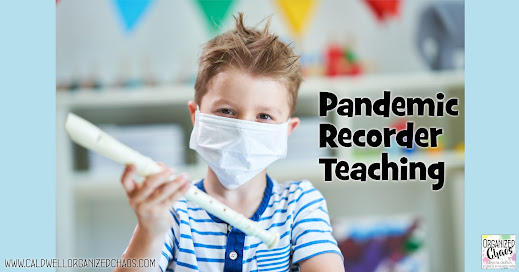
Pandemic Recorder Teaching

Recorder is one of my favorite things to teach (yep, you heard me) but the last few years we haven't been able to play recorder in person because of the pandemic. This year I am teaching recorder again in person for the first time in 2 years, but I've had to make some adjustments to make sure I am putting as many mitigation strategies in place as I can to keep everyone safe. Today I wanted to share what I'm doing differently to adapt to the ongoing pandemic.


I've been hesitant to write this post because I know not everyone feels comfortable teaching recorders in person yet, and that's fine. If you're looking for specific research-based recommendations for recorder playing from the Colorado aerosol study, this panel discussion highlights recorder specifically (go to 15:15 in the video). Based on that research, in our area the protocols have been to use a bell cover and keep at least 3ft distancing (the same as all wind instruments). I should also explain that in our district we continue to have mandatory masks for all students and staff and 3ft distancing in all classrooms. 

With that background, here are some things I'm doing differently this year with recorders:

1. Bell Covers

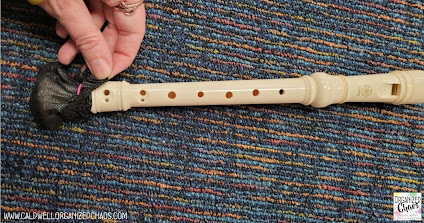
Based on the research study linked above, we are using bell covers on all recorders. I looked around quite a bit for different solutions- baby socks are one option, but we went with microphone covers like these. Besides being much cheaper, they're also much smaller so they don't cover up as much of the foot joint. I found for the ones we ordered, it works best to put a loom band over the cover and then fold the top edge back down over the loom band. That keeps it on tighter and also keeps the edge from covering the bottom holes on the foot joint. I have a lot of loom bands already because I use them for our belt system, and I purchased a set that had some colors I don't need, so this was perfect!


2. Masks

It's just not practical to have slitted masks for elementary music class. Instead I am spacing the students out 6ft when they are playing, and they lower their mask only when they put the recorder in their mouths (the protocols we're following actually say that we can do that at 3ft, I just choose to put more spacing since I can). I have always taught the 3 positions for holding the recorder the first time they get the instrument in their hands: rest position in their lap, practice position under their chin, and playing position. This year I've taught them to lower their mask only for playing position, and they cannot speak or do anything else while their masks are down. 

I found it helpful to explain that the bell cover essentially is acting as their "mask" for the air coming out of their mouths when the recorder is in their mouths, and that seems to help students remember what the can and cannot do with their masks down. We do all other practice, whether it's practicing how to blow without the recorders in our mouths, fingering practice, etc, with masks on.

3. New Problems, New Solutions

I've gotten pretty good at troubleshooting beginning recorder playing problems over the years, but I've discovered a new problem my students are encountering this year because of the addition of masks: holding the instrument up too high. I noticed several students were holding the instrument straight out in front of them when they were trying to play, which made it impossible for them to blow correctly or get their hands in a good position. I realized after correcting a few students that it was because they had their masks under their chins- it was just instinctual for them to hold it up to avoid touching the mask. Once I pointed out that they could hold it down in front of them with their elbows relaxed at their sides, they were able to correct their tone pretty quickly- it was just a matter of pointing it out to them.

It's definitely harder than it used to be having to work with bell covers and masks with beginning recorder students, but I keep reminding myself it's so much better than the last year, trying to teach it over zoom! It's definitely a positive step and the students are so very excited. I've written a lot about my step-by-step lessons and procedures for teaching recorder in the past- you can catch up on all those posts below:


I hope this is helpful for anyone else teaching recorder in person right now! If you've discovered any other solutions for pandemic recorder teaching, or have questions about how I'm doing things, please leave them in the comments below.

Sunday, January 2, 2022

Lesson Ideas to Start the New Year

Somehow we've managed to land ourselves in another highly unpredictable and stressful situation with the latest surge in the pandemic coming in the midst of shifting guidance for protocols. With all of this swirling around right now I know it's hard to think about concrete lesson plans! Here are a few ideas that don't require too much prep or mental energy to implement but will still help reinforce learning in fun and engaging ways and can be shifted to virtual learning if needed.

1. New Year Rhythm Review

These Lunar New Year- themed play-alongs from Ready GO Music are available in 5 levels all the way from steady beat to sixteenth notes. Start off the lesson in every grade with the play-along that fits their level- if in person, students will love getting to play an instrument, but if you don't have enough for everyone and want to avoid sharing, I've found drumming on chairs is a fun way to mix it up too. Distance learners love finding something around their house to use as an "instrument", and if this is any student's first time being online this is a great way to show them that learning from home can be fun too :)

2. New Year Celebrations Discussion

Students need time to reconnect and just share. The rhythm play-along is a great jumping off point to give students a chance to share what they did to recognize the new year (including doing nothing at all!), and do a quick comparison discussion of Lunar vs Solar calendars and new year's traditions around the world. FYI this year the Lunar New Year kicks off on February 1st, and it will be the year of the tiger. It is celebrated in many countries, not just China, including South Korea, Vietnam, Tibet, Indonesia, and many others. This doesn't need to be a long discussion but it's an easy way to give students who want to share something from break a way to do so and also talk about some of the different ways the "new year" is celebrated.

3a. Upper Grades: Pitch Review

After a low-intensity rhythm review with the play-along, upper grades who are learning treble or bass clef letter names can have fun reviewing the letter names. Start off with one of my favorite videos of all time: 7/4 Cabbage Metal by Andrew Huang. Briefly review the letter names of the notes in whatever clef they're working on. Then (if you're in person) split the class up into small groups and give each group a dry erase staff board (or have them draw 5 lines on a piece of paper and have them use small pieces of sticky notes to place as "notes"). First have them try writing the word "cabbage" on the staff. Then give each group a few minutes to come up with a list of words that can be spelled using only the letters from the musical alphabet, and take turns having one group yell out a word and the others race to write it on the staff. If online, have students suggest words in a private chat to you, then you write the word on the staff and have students race to tell you what word you spelled.

There are plenty more fun ways to review pitch letter names in person or online here and here!

3b. Lower Grades: Expressive Elements

This could actually be used with all grades if you don't want to jump into pitch letter names: pick a super short fun song and review expressive elements (and any vocabulary that grade has learned) with it! My top pick for this right now is Chicken Wing Chicken Wing (it was big on TikTok not too long ago if you aren't familiar). Tell students to listen to the song while keeping the steady beat, then come up with dance moves for each line together as a class and practice singing and dancing it together. Once everyone can sing the song, review dynamics/ tempo/ other expressive element vocabulary they know and sing the song in each of those ways together. If there's time, you can also have students take turns "conducting" and have the class follow their gestures to sing louder and softer/ faster and slower, or put the vocabulary words they know on the board (or screen if virtual) and have them sing it to match whatever word you (or a student) point to. You can obviously do this with any song students love- it's a great way to get everyone singing and laughing.

More Ideas

That's a basic outline of how I'm running my first lesson back for every grade I teach, just to make it easier for me to keep track of what I'm doing with so much else on my mind while keeping it age-appropriate and fun for every grade. For more ideas to use beyond the first day, here are lots more ideas from some of my previous posts that would be perfect for this time of year. My lessons for the entire month of January K-6, with all the accompanying materials, are also available here.


I hope this helps as you head back to school one way or another! If you have more ideas you can share with others, or questions about what I'm doing, please leave a comment below. Happy New Year!

Tuesday, December 21, 2021

December Break Recovery Strategies

I think the pandemic has put a whole new spin on December break for teachers. For me December break has always been a time for reflection, rest, and rejuvenation, but dealing with the level of emotional, mental, and physical stress put on us by the pandemic, and the latest threats to school safety on top of it all, has forced me to adjust my priorities and plans for what I want to accomplish over break. My main goal is now to just give myself the space to process, and hopefully start recovering, from the trauma. 


I dealt with trauma before, and I've been through some highly effective therapy for it in the past, so this is how I've learned to cope and heal- I'm obviously no mental health expert and not everyone handles stress and anxiety the same way, but I hope this post will at least help you feel seen and encourage you to take your mental and emotional health seriously over this break.

1. Listen to your heart

I know that sounds like a Disney movie but hear me out... Just like we hear recommendations to "listen to your body" when we're sick- resting when we need it, eating and drinking what our body needs, etc- I've learned to tune into what my brain and soul need. 
  • I am used to being super productive over weekends and school holidays, and sometimes it does help my anxiety and/or depression to get busy checking things off my list, getting physically active, cleaning up my physical space, etc- it's not "sweeping things under the rug" if your brain needs the opportunity to focus on other things for a while, and checking things off your mental list can be very freeing. 
  • But other times, especially recently, I've found on the weekends/ breaks I need time to literally stare at the wall, nap, and allow my brain to wander.
  • Other times, I find I want to pull out a paper and pen or a private google doc and just write out my thoughts. Sometimes that turns into a phone call or text to a friend to talk through those thoughts, or sharing the google doc with someone. Sometimes those thoughts stay private but it gives me the opportunity to express the nebulous ideas swirling in my brain.
The point is I've learned to accept what my brain, heart, spirit, soul need. I may start off break thinking I need to relax and find I really need to get active, or conversely I may start off the day feeling good checking things off my list and halfway through feel my brain telling me to shut down for a while. Paying attention to what feels helpful and what feels like torture has been key to processing and recovering.

2. Identify the undercurrents

I think one of the most challenging aspects of being a human in 2021 has been the ever-present, ongoing stressors that I can't necessarily pinpoint to a specific incident, but are ongoing situations that put me in a permanent state of anxiety to a certain degree. Obviously that includes the ongoing covid-19 pandemic, school safety threats and violence, and systemic issues in education and society that have become more and more apparent. There are ongoing stressors at work and at home related to those realities, and sometimes I forget that on top of the day-to-day ups and downs, there are those ongoing issues in the background that have changed my starting point level of stress. Identifying those ongoing undercurrents of anxiety is really helpful in processing my emotions.

3. Circle of Control

After identifying and naming ongoing stressors, I find it really helpful to categorize them using the idea of "circles of control" adapted from Stephen Covey's "Seven Habits": which things do I have direct control over, which things can I influence, and which things are areas of concern over which I have no control? Putting things into perspective this way has been really helpful for me in finding a path forward when I feel overwhelmed by the cares of the world.

4. Set priorities

All of the previous strategies are what I have found I need right now to get back to some sense of equilibrium and wellness. Processing those bigger issues gets me to the place where I have the mental and emotional energy to productively reflect in the way I did pre-pandemic, reflecting on the semester so far, re-aligning my priorities for the coming year, and making some concrete action plans to keep me on track with where I want/ hope to be. Here are a couple of previous blog posts explaining the process I go through:


To say this has been a tough season for all of us is an understatement I know, but I hope this December break we all have the opportunity to process and recover. 

Tuesday, November 2, 2021

Performance Possibilities in an Ongoing Pandemic

We're definitely not where we were a year ago with the pandemic, but we also aren't back to where we were two years ago either! What protocols you follow and what mitigation strategies you need to consider for in person musical performances will obviously vary a lot depending on your local situation, and conditions could certainly change between now and whenever we put on our next show, but I've heard a lot of questions from music teachers struggling to figure out a good solution for their situation so today I'm sharing a few options to consider.


Whether any of these solutions are right for you and your situation will depend on a lot of different factors, but if you are in the position of having to figure out creative ways to put on an in-person musical performance while still needing to follow certain mitigation protocols, hopefully these ideas will at least help you get the ball rolling and figure out what will work for you!

I really think it's important, when we can do so safely, to try to find ways to allow our students to perform together live again. Virtual ensembles are great for certain situations, but there are certain things you definitely miss out on when you can't perform together! After going so long without having the opportunity to perform live, I am trying to find any way I can to give my students that experience.

1. alternative venue

One of the most obvious solutions if you're having a performance but need better ventilation or more space, is to hold the event outside. Besides the parking lot, field, or other outdoor space at the school, you could also consider local parks, or churches or other community buildings with larger parking lots or outdoor space. The most important things to think about if you're outdoors will be how to keep any sheet music from flying away in the wind, plans to deal with inclement weather, getting power for any sound systems etc, making sure the audience can hear the music, and transportation of people and equipment (especially if you're off campus). 

Of course there also may be alternative indoor venues that would work, especially since many of us are planning performances in the winter when performing outside just isn't practical! If the usual performance space is too small to allow adequate distancing, other rooms in the school, rooms at other schools in the district, or even other spaces in the community may work.

2. no (or limited) in person audience

Another way to have an indoor performance without crowding the space, if you don't have a big enough alternative venue, is to limit or eliminate the in person audience, and instead use zoom or another video call/ streaming platform to allow the audience to watch "live" from other rooms. In my building I'm planning to have all of the performers in the gym, with students watching from zoom in their homerooms (projected on the board by their homeroom teachers) and families watching from home. It's not the same when you can't see and hear the audience, but it's better than making a recording! The most important consideration with this scenario is making sure you have any necessary licensing to allow you to perform the music over zoom (here is a helpful guide on that). 

3. split up performances

This can be done a few ways: you can perform the same show multiple times for smaller audience groups, or split up the performers and have smaller groups perform at different shows- if you normally have the whole school in the audience, you could have a few grades at a time come and watch, or if you normally have the band and choir perform, you could have separate concerts for the band and chorus. The most difficult consideration with this scenario is scheduling- making sure you have enough time to fit all those performances in.

4. other mitigation options

Besides distancing, there are other ways to add layers of mitigation to make in-person performances safer. The most obvious one is masks and bell covers, but you can also make the performances shorter, increase ventilation by opening windows and doors, or bring in additional air filtration systems. The more we can do to mitigate risk, the more likely we are to be able to continue having musical performances safely.

5. alternative performance types

One more option for mitigating risk that's worth mentioning is to replace performances that have increased aerosol risk (singing, wind instrument playing, projecting) with other means of performing! Movement based performances, routines done to recorded music with cups/ scarves/ other props, percussion ensembles and orff ensembles, string instruments, and other non-aerosol producing options are great, and this may be an opportunity to explore alternatives that we can carry into future years.

6. other considerations

Beyond safety precautions, it's helpful to remember that we are easing back into this. We are not magically reset to pre-pandemic times. We shouldn't have the same full performance calendar, and we shouldn't expect the same level of performance refinement from our students. Fewer songs, easier repertoire, and more selective performances are all appropriate right now. It's also good to remember that there is benefit, both for the students and for the community, to having these performances again even if the level of difficulty or polish is not what it used to be! After all of the separation, these shared experiences are more important than ever, even if they don't look the same as they used to, and even pre-pandemic, the value of these performance opportunities is not in the polish of the performance but in the process of preparation and the opportunity to share and showcase their learning.

As I said in the beginning of this post, what solutions will work for you will depend entirely on your local situation. If you haven't seen it, you can catch up on the latest guidance from NFHS and NAfME from August 2021 at this link. I am certainly not a public health expert, so I cannot tell you what is safe or not safe for your area and your situation, but I hope these ideas are helpful if you're wanting to get your students performing live again but feeling stuck on how to make it happen. Have other ideas you've come up with that work for you? I'd love to hear them in the comments so everyone can benefit from hearing your ideas!

Tuesday, October 19, 2021

Tideo: socially distant movement lesson

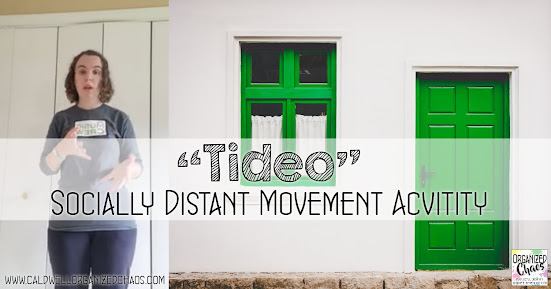
I, along with many other music teachers I'm sure, use the song "Tideo" as a way to introduce barred sixteenth notes. For the last few years I've done a folk dance with the song to get students experiencing the rhythm, but with covid protocols still in place I needed a movement activity that students can do independently. Here's what we did!

I actually used to use this movement activity with the song before I came across the folk dance and it has always been a big hit- few lesson activities elicit as much focus as this one- and I was reminded of that when I brought it back this year. I cannot find a source for this activity nor can I remember if I got it from somewhere or made it up! If anyone knows of another source for this please let me know.

The idea is for it to be a cumulative movement activity, adding one move at a time to go with different words or phrases in the song. There are many different versions of the lyrics but it would be easy to modify to fit whatever version you use! Here's a demonstration of what I do:


Besides introducing barred sixteenth notes, this song lends itself well to a review of pentatonic solfege. I use the song to get students experiencing sixteenth notes before they are ever formally introduced to the concept or notation, and then use it as a review of the solfege notes after they've heard it over and over again as well. If you want the full lesson plan, it's included in the 3rd grade curriculum!

Now that I remember how engaging this format of introducing a song is, I'd love to use the same technique with other songs! Let me know in the comments if you've ever done something similar with another song (or with this one). 

Tuesday, October 5, 2021

Socially Distanced Elementary Choir

After 18 months of no in-person chorus, this school year I have my choirs back! And while that's super exciting, it also presents many challenges- in my district, we are currently required to maintain 6 feet distance between singers with masks on. I had so many concerns about how this would work going into it, but now that we are a few weeks into the school year I am feeling much better about it- here are my top tips for making it work when your elementary chorus is socially distanced.

1. Choosing Songs

As much as I want to dive back into the 4-part a capella singing we were doing pre-pandemic, we're not there yet (and that's OK). Besides not having the background from missing over a year of choir, students are also not used to singing that much in a mask- and that's tiring. And because they are so spread out, it's harder for them to hear the other singers on their part. So I think going with simple part singing, or even unison pieces, is the way to go.

Along with an uncomplicated arrangement, I'm looking for songs where the vocal parts are easy to sing- lyrical lines in a limited range that's comfortable for everyone. Because they aren't taking as deep of breaths through their masks, they don't have as much breath support to sing vocally challenging parts. The songs should feel comfortable and good to sing!

The other most important consideration for me is to choose songs that are engaging and fun. One of the biggest difficulties with socially distanced choir is that students won't sing out as much because they can't hear the other singers' voices around them as much. They're more likely to get to a place where they're not too self-conscious to sing out confidently if it's a song in which they are invested and enjoy singing.

2. Seating

I have chairs in 6-feet-apart rows, all facing straight forward, with the rows staggered so nobody has another person right in front of them. I also made sure to put all the students from the same class / cohort together. As much as I would normally prefer to split them up by vocal range, right now minimizing spread has to take priority! Obviously this means I have assigned seating, in which I am a firm believer whether I'm dealing with pandemics or not. 

3. Regular Singing Breaks

To keep energy up while they're singing in a mask, I build regular breaks for the students into the rehearsal. Sometimes that's me talking to them, sometimes it's listening to a recording or me demonstrating something, sometimes it's a random team-building game etc, but I've found that even with the relatively short 30 minute rehearsals I have, the students need time to build up to singing that whole time. Building in some breaks in singing helps keep them from wearing out.

4. Turn Up the Volume

One of the biggest hurdles with socially distanced / masked singing is kids not being able to hear the others around them. My way of combatting that is to turn up my personal amplification microphone and sing along with them, and use recordings that have the singing and accompaniment for them to sing along with. So far I think this has been the most important change that has helped my singers sing more confidently!

I hope this helps any other music teachers teaching choir (or singing in general music) with these protocols in place. It's definitely not ideal but I try to keep reminding myself how grateful I am to have chorus happening in-person at all! If you have other tips that have worked for you, please leave them in the comments. I'd love to hear them!

Tuesday, September 28, 2021

Our "New Normal" in Elementary General Music Class

After over 18 months of teaching through a pandemic, I think I expected this school year to be "back to normal". Many aspects of my music teaching look more like pre-pandemic teaching than they did 6 months ago, for sure, but they are definitely not fully back to the way things used to be! I can't list them all in a single post but here are some things that are different now compared to my pre-pandemic teaching that I expect is now my "new normal".

1. one-to-one student devices

If there's one good thing that has come from the pandemic it's the warp-speed development of our district's technology infrastructure. Before the pandemic I used DonorsChoose to get 3 Chromebooks for my students to share in my classroom and I thought I was fancy. Now I can have students bring their own devices to class and there are so many more possibilities for what I can do, especially with my older students! This has opened up a whole new world of options for in-class learning.

2. technology integration

This is similar to my first point but worth mentioning separately: my students and I have all become much more adept with the technology we have. I had used Google Slides before, but not until the pandemic did I learn how to embed audio and video (and trim the videos to the clip I want), use drag and drop worksheets, explore the full capabilities of SongMaker, or start using rhythm play-along videos to practice reading new rhythms. My teaching is so much more streamlined now that I know how to put everything I need in one place, and my lessons are so much more varied with all the new options I have for addressing pitch and rhythm concepts.

3. personal amplification

The 2020-21 school year was the first year in my entire teaching career I did not lose my voice, and I attribute that to masks keeping us from all getting colds as much, and my personal amplification system that I got to be heard through my mask. I am definitely still using my voice amplification system right now since we are still masked, but I plan to continue using it most of the time even when we're done with regular mask wearing. It is so helpful not only for saving my voice by not projecting but also for getting the attention of a rowdy group quickly without raising my voice.

4. ear training

When we couldn't sing in class last fall, I had to focus more on aural skills for learning solfege concepts. I was shocked at how good my students got at aurally identifying pitches with the extra practice! Of course I am thrilled to now be able to sing them too, but I am committed to maintaining more regular opportunities for focusing on aural skills from now on.

5. family communication

During the pandemic I traded in my handwritten "happy notes" that I gave students for direct messages to families via Class Dojo, and I saw tremendous benefits from that regular, positive interaction directly with families. I have gone back to the handwritten notes this year because I know my students like having something physical to keep, but I am committed to maintaining regular, positive communication with families by sharing updates through Class Dojo. 

6. home office

I have had a desk in my bedroom since I moved into my own place 8 years ago, but I never sat at it to do anything- it was my "junk drawer". During our shutdown and periods of full distance learning, I had to set up a decent workspace for myself- I finally got an office chair, cleaned up my desk to make it useable, and put it facing the front window with the best view. It has made all the time I spend here on my blog, and doing schoolwork at home, so much more pleasant, which has improved my mental health tremendously.

7. communication with colleagues

Last school year our district made sure we had extra planning time, including common planning time with colleagues, and it was a game-changer. We all know in elementary music it's rare to have an opportunity to collaborate with other elementary music teachers! This year we don't have common planning time anymore but we have found ways to still collaborate weekly and plan all of our lessons together. And with our 9 elementary schools being so spread out, having the ability to use zoom has made meetings with colleagues much more convenient. I'm talking to other teachers in my department more than I ever have before!

What things have become your "new normal" this year? I know the pandemic has affected every aspect of our lives, and many of those effects will be felt for years to come. 

Tuesday, August 24, 2021

Elementary Music Classroom Tour 2021-22

Welcome to my socially-distanced elementary music classroom tour for the 2021-2022 school year! As frustrating as it is sometimes to still have to keep pandemic protocols in mind, I'm grateful my district does have guidelines in place to keep everyone as safe as possible, and I'm so happy to have an actual room to set up this year! Last year I was on a cart while my room was being used for cohorts, so we have taken a huge step in the right direction compared to 12 months ago.


You'll find a video tour at the bottom of this post, but first a few highlights of things that are new for this year:

1. Seating Arrangements


I have velcro strips to mark where the front of each chair should go, and dots to mark where students sit or stand on the floor, all with 3-4 foot spacing. Normally I would have chairs in rows and spots in a circle, but with the distancing protocols I had to spread out my chairs and put my floor spots in rows. I still have my 6 colors to use for student groupings though, so we're keeping the color teams (read about those here)!

2. Instruments


After having all my instruments tucked away in storage last year I'm so happy to have my instruments back out and available this year! We'll still be sanitizing between uses but with the concern for spread from surfaces lessening our district is allowing more shared supplies this year.

3. Teacher Workspace


Believe it or not I think I spent more time trying to figure out my teacher desk situation than any other part of my classroom setup this year! I'm trying to balance the need to have reduced space at the front of the room because the students are spread out, with the need for more workspace than pre-pandemic because I'll still need a second monitor for hosting zoom staff meetings. In the end I put a small desk to have some workspace while I'm actively teaching at the front of the room, and a slightly larger desk (where you see the rolling office chair and monitor) at the back of the room for meetings, planning, etc. I have a feeling I will be tweaking this again before the end of the year... we'll see how long this one lasts!

With that, here is the video tour of the entire classroom- if you have any questions about anything please leave a comment and I'll answer as best as I can!


Tuesday, July 27, 2021

Music Classroom Re-Organization Post Pandemic

In the wake of over a year of pandemic teaching, everything is a mess. Before we can start getting ready for next year, we have to clean up from the last one! Over the last few weeks I've been working on cleaning up the chaos left by pandemic teaching, from my own well-being to my computer files and everything in between. The most obvious mess I have to deal with, though, is the actual *stuff*. After teaching in so many different modalities in so many different locations, my classroom supplies are all over the place! Today I'm sharing some specific steps I'm taking to get things back where they need to be so I can have an organized space to start next year and have all the supplies organized so I can use them when I need them!

1. Everything in Its Place

Over the past 18 months I have taught on a cart, in a small office space at school, from my home "office" (aka a corner of my bedroom where I set up a desk to zoom), from my home "studio" (aka a corner of my basement where I set up recording space for asynchronous lessons), and in my music classroom. I have instruments, curriculum resource books, scarves, puppets, and other teaching supplies all over my house and all over the school building! So the first step is getting things back where they belong- which for now (a month away from the start of school) mostly means getting all the school supplies back in my classroom closet in as organized a fashion as I can. This way when I go to set up my classroom for the fall I will at least know where everything is, and if I've lost anything (yes, I have) I know what I need to order.

2. Reassess Supply Needs

Teaching without shared supplies, without students being able to move, and without a classroom definitely forced me to make do with less! Rather than rushing back to using #allthethings, I want to be intentional about evaluating whether the extra supplies are actually things that are helpful or just creating clutter. Anything I can streamline is a good thing when it comes to teaching, especially teaching young children! For example, I used only digital "manipulatives" for composition this year rather than the physical manipulatives I normally use. I definitely know I want to get back to using physical manipulatives rather than going all digital, because I know that especially for younger students it's a much more effective way to learn, but I don't think I need them all! For my upper elementary students I plan to keep the rhythm manipulatives I've used in the past, but I may not continue to use mini erasers to place on the staff like I have in the past, but use the online tools I found this year instead.

3. Rethink Classroom Organization

Having taught in so many different spaces under so many different conditions has also given me a chance to reevaluate my classroom space as well. For us it's likely we will still have some social distancing in place in the fall so I will be taking that into consideration. I've also had a lot more experience with technology and will continue to use some things, like using my board as a second monitor, even without distance learners on zoom. If you are thinking through your own classroom space (whatever that may look like in the fall), here are all the different spaces I've taught in, both during and before the pandemic, and how I set them up. I'll be thinking through my setup in each of these as I think about my plans for the fall!


This is the final post in my series on "cleaning up the covid chaos"- after a month of processing and reorganizing from this past school year I feel like I'm finally in a place where I can start to think ahead to next school year! If you want to see the rest of the posts in the series on how I've been trying to intentionally take the time to process and work through everything that happened over the last 18 months before even allowing myself to start thinking ahead, with the specific steps I've been taking in each area including my emotional, physical, and social well-being, technology, and curriculum/ lesson plans, you can find all of those here:


Tuesday, July 20, 2021

Reorganizing Lesson Plans Post-Pandemic

After over a year of completely reinventing teaching practices, I have a lot of new lesson ideas and resources that I hope to incorporate into my teaching long-term (and some I never plan on using again!). But it can be a little overwhelming to think about the prospect of sifting through the mess of last year's lesson plans and incorporating them into my pre-pandemic curriculum in an organized way! Here's how I'm reorganizing my lesson plans so I can merge last year's new ideas into my long-term curriculum.

Long-Range Plans

I have been a big believer in my long-range planning system for years, but I am thoroughly convinced after I saw it stand the test of the pandemic! If you haven't already, this is the time to get a scope and sequence, yearly outlines, and monthly lesson banks organized by concept- I've written about how I've set those up in this post:

I've had this framework in place for several years now, but as I attempt to clean up from the chaos of last year the first step I'm taking is to look through my long-range plans with fresh eyes. The pandemic has forced all of us to think carefully about what is truly most important for students to learn, especially when so many of our normal activities were stripped away. So before I can decide which lesson ideas I want to keep, I need to make sure my long-range plans are aligned with my current thinking on where I want to spend more or less time and which concepts and skills I'm prioritizing for each grade. 

I've always spent some time rethinking my long-range plans over the summer each year, so I don't have a lot of changes I'm making here, but for me there are a few things I'm adjusting because I've found more streamlined ways to address specific projects with my older students with our new one-to-one devices, freeing up a little time in my yearly outlines to include other things.

Reorganizing Lessons

The most time-consuming task in this process is going through last year's lesson plans and pulling out the ones that worked that I may want to keep long-term. As I go through my plans from last year, I'm looking for new ideas that worked just as well or better than the activities I used pre-pandemic and putting them in their place for long-term use. This is where having monthly lesson banks, where I have a running list of lesson ideas to address the specific skills and concepts I'm covering, is key! For lessons I used this past year that are actually better than what I was doing pre-pandemic, I'm replacing my old lesson activities with the new ones for the specific concept it addresses in the grade level and month I'm covering it in my long-range plans. In most cases, I'm adding the new ideas to the running list rather than replacing anything. The beauty of having monthly idea banks is that I can pick and choose which specific lesson activities will work best without getting off track with my long-range plans. In a lot of cases there are ideas I used this past year that will be better for some situations and not for others, but having them in my toolbox will be great!

The main point here is to identify the lesson ideas from this past year that are worth keeping long-term, and put them in a place where I can find them when I want them. I know I don't have the time or mental energy mid-year to find that one awesome website I used last year when the opportunity arises- I need to identify what concept(s) the activity addresses and where it fits in my long-range plans so I can put it where I would use it!

This is a big project but I think one of the most impactful ways I can make sure I don't just fall back into old habits as I return to more normal teaching conditions or find myself having to reinvent the wheel again if and when we go through periods of ongoing pandemic protocols! I'm truly so grateful to have the curriculum framework I have in place because it makes this process so much easier and more effective- if you haven't gone through the process of creating this for yourself I highly recommend it! You can sign up for this free email series which takes you through the process step by step, including templates for laying out everything from your scope and sequence down to weekly lesson plans:

This post is part of an ongoing series on "cleaning up the covid chaos" as I process everything that happened over this past school year and try to put things in order, literally and figuratively! If you want to read about the other aspects I'm tackling this summer you can find those posts here:


Tuesday, July 13, 2021

Technology Organization After Pandemic Teaching

In the wake of over a year of pandemic teaching, everything is a mess. Before we can start getting ready for next year, we have to clean up from the last one! And one of the biggest messes I have to clean up is with technology. I relied so heavily on technology this year and much of it was made on the fly. Today I'm sharing some specific areas where I'll be doing a little summer cleaning to get my online accounts and files in order so I can clear out my online workspace and find what I need to use in the future.


Ah technology. The love-hate relationship I have always had with it has only intensified after this year! I am so very grateful for the things I was able to do that I wouldn't have been able to do otherwise, but I am also definitely overloaded on computer screens! I have also been a little overwhelmed with how much stuff I have sitting on my computer now- as much as I enjoyed closing my computer and walking away on the last day of school, I definitely can't leave it in the chaos that it is now! So here are some specific things I am working on organizing as I work on intentional recovery from this past year of covid chaos.

Devices

Before we get into the contents, we need to look at the actual devices themselves! I'm sincerely hoping I won't need nearly as many devices next year as I did last year, so I have been going through all of the various cables and adapters and extra devices and monitors I used over the course of all the different teaching modalities we went through this year and seeing which ones I can tuck away, which ones I can return/ get rid of, and which ones I need to keep. No need to keep things around "just in case" and create more clutter!

Google Classroom

It may seem like it would be less work to just delete this year's 1st graders and add next year's to my "1st grade music" Google Classroom, rather than starting a new one next year, but the reality is it's not. I don't want students to be able to see a full year's worth of assignments already posted from last year, but I want to be able to keep those assignments to copy them next year if I want. By archiving this year's Google Classrooms, I can clear out the clutter in my Google Classroom space but still have them available if I want to reuse an old assignment. But it's very important to archive Google Classrooms correctly to avoid a lot of unnecessary headaches later! Here's what I recommend:


Zoom Meetings and Recordings

This year I recorded to the cloud every single lesson I taught, both in-person hybrid and fully distance, on zoom so I could post the recording for students who missed the class. I also had different recurring meetings set up for each homeroom class I was teaching. One of the first things I did after school ended was delete all my recurring meetings. I have been saving any recordings I want to keep as I've gone through the year, so I can delete all of my recordings now as well- if you haven't been saving as you go, it's worth thinking about if there are any recordings you want to keep and saving those to your local computer first before deleting.

It may be tempting to keep them all but it will be near impossible to sift through so many recordings, and your district (or your own account) likely has a storage limit you'll hit soon enough if you try to keep them!

Flipgrid

With flipgrid I've found it easy enough to keep my "groups" (classes) from year to year and just change the "topics" (assignments) to hidden so they're no longer active or visible to students. This makes it easy to make a copy of a previous year's assignment, while still cleaning up the page so students don't end up on a previous year's page. My main tip for this, though, is to add "20-21" or something like that to the title of each topic from the past year. That way if you do make a copy to use in the future it will be much easier to see which one is the old one.

Google Drive

If there's one thing I used more than any other this year, it's Google Drive. I have been pretty diligent about keeping my drive organized by putting everything in folders as I go, but I have been working on going through and cleaning out old files I don't need to reduce clutter, and reorganizing things to make them easier to find. If you haven't been putting files into folders, that is probably the single most important thing to do to get things organized! One thing I do a lot is to create a folder called "archive" within different folders and move files/ folders that are old but I'm not ready to delete yet there. Next year if I still haven't used them, when I go to archive that year's files I'll delete the unused ones.

Another thing I find very helpful is to color-code my folders. If you right-click (or ctrl-click) on a folder you will see an option to change the color. It doesn't change the color for other users if it's a shared folder but it will make it easier to find the one you need if you're sorting through lots of folders.


YouTube Videos

I'll be looking more at lesson plans and materials in a separate post, and video links will be a part of that, but it's worth mentioning here because I used so many more videos this year than I ever have in my entire previous teaching career combined. While I certainly don't intend to use them all as we get back to being able to sing and play instruments, there are definitely some gems I don't want to lose track of. Aside from noting them in my lesson plans, I've been making an unlisted YouTube playlist for each grade and saving videos I use with those grades to that playlist. That way if I can't remember what I used it for I can still scroll through and find the video I want, and I can save the same one to multiple playlists if I used it with more than one grade. 

Those are all of the main areas I'm focused on cleaning up with my technology as I try to sort through everything from this past crazy year! It's a lot but makes such a huge difference in feeling ready to look ahead to next year and it has actually been nice to look back on everything I've done over the past year as I go through old files. If you missed my previous posts on cleaning up the covid chaos, you can catch up on other areas I'm tackling, from self-care to lesson plans and everything in between, in this post: